Blur Background (Portrait Mode)
Turn any ordinary snapshot into a studio portrait with a soft, blurred background (bokeh effect). Our browser-local AI detects your subject automatically and blurs the background behind them, keeping the person, product or pet razor sharp.
Getting ready…
Your image stays on your device — nothing is uploaded.

Pick a background above, or keep it transparent (checkerboard = see-through). Hold Compare to see the original. Zoom with the buttons or Ctrl + scroll; drag with Space held (or the middle button) to pan.
No phone portrait mode or expensive DSLR lens required. All processing happens locally on your device in your browser; your photos are never uploaded or stored.
Why blur a photo background?
A blurred background directs all attention to the subject while softening messy rooms, busy streets, or distracting clutter. It gives portraits, product headshots, and pet photos a high-end camera aesthetic with natural optical depth of field.
Upload your image, and the tool isolates the foreground and applies a smooth optical lens blur to the background. Download the result as a high-resolution PNG in seconds.
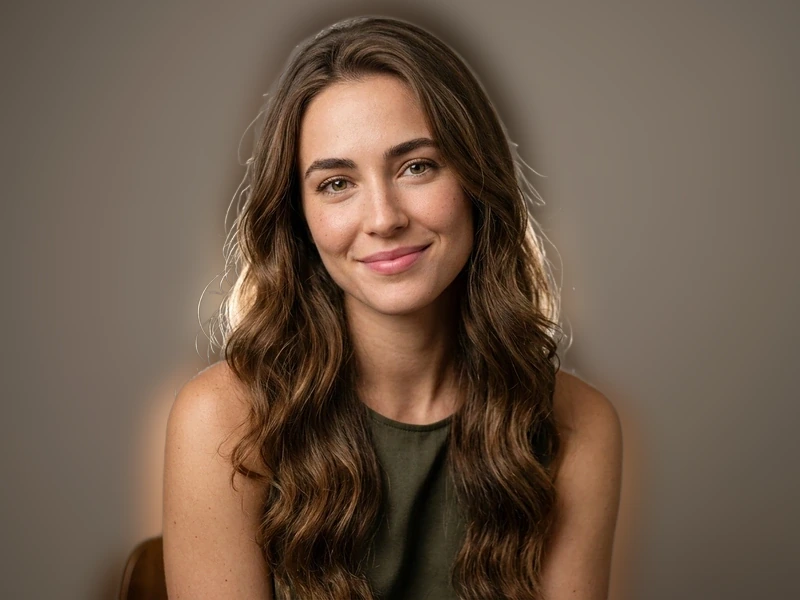
Before & after portrait background blur
Soft lens bokeh depth-of-field while preserving razor-sharp subject edges and hair strands.

How to remove a background
- Upload your image. Drag & drop or click the button above.
- The subject is detected automatically. Processing happens in your browser; nothing is uploaded.
- Preview the cutout on the checkerboard, then download it as a transparent PNG or a white-background JPG.
How it works
- 01
Choose your image
Drag & drop a JPG, PNG or WebP file, or tap to pick one from your device.
- 02
Your browser does the work
The subject is detected automatically by an AI model that runs on your device, with no upload and no waiting on a server.
- 03
Download instantly
Preview the cutout, then download it as a transparent PNG, free of watermarks and accounts.
Your files stay yours
Unlike most online image tools, this tool processes your images directly in your browser. The file is never uploaded to a server, never stored, and never seen by anyone but you.
Read the details in our privacy policy.
Processed locally
The AI model runs on your device. Your image never travels over the network.
Nothing stored
We keep no copies of your images. There is nothing to leak, sell, or lose.
No account needed
No signup, no email, no limits to unlock. Open the tool and use it.
No watermarks
Your result is exactly your image: clean, full quality, full resolution.
Learn more
- How to Remove the Background from an Image
A step-by-step guide to removing backgrounds from images: the free browser method, when to use it, and tips for clean cutouts on people, products and pets.
- How to Remove the Background from a JPG
How to remove a background from a JPG image and why the result must be a PNG. Free browser-based method, no quality tricks, works for photos and scans.
- How to Remove the Background from a PNG
Remove or replace backgrounds in PNG images. How PNG transparency works, handling images that already have partial transparency, and the free browser method.
Frequently asked questions
How does the background blur tool work?
The tool uses in-browser machine learning to segment the foreground subject from the background, then applies an optical Gaussian blur to the background layer while preserving edge sharpness on the subject.
Is my photo uploaded to a server to blur it?
No. The AI model runs directly in your browser using WebAssembly. Your photo never leaves your device, keeping personal and family pictures 100% private.
What subjects work best for background blur?
People (headshots, selfies, portraits), pets, products, and cars produce the most striking portrait-mode results.
Can I download the blurred photo in full resolution?
Yes. The final composite downloads at the full original resolution as a high-quality PNG with no watermark.